3 Tools To Help Create & Edit Minecraft Skins
Minecraft Skin Customization: A Guide to Uniqueness
The game Minecraft recently updated to version 1.1 and continues to be remarkably successful, maintaining its position as one of the most engaging indie games – and massively multiplayer online (MMO) experiences – ever created.
Currently, many players find themselves captivated by the game, and those who aren't yet hooked may simply need to explore the diverse range of servers available. A suitable server experience awaits every player.
Personalizing Your Minecraft Avatar
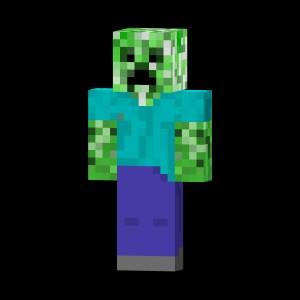
Minecraft empowers each player to personalize their in-game character through a customizable "skin." This skin serves as your visual identifier both in single-player and multiplayer environments.
The design of your skin can reflect your personality and playstyle, limited only by the dimensions of the template. Players can transform themselves into creatures from the game, historical figures, or entirely original creations.
The goal is to stand out; the more distinctive your skin, the better. Initially, all new players are represented by the default character, Minecraft's Steve.
Avoiding the appearance of a generic Steve is a worthwhile pursuit. Let's explore some tools designed to simplify and enhance your skin creation process.
Tools for Creating and Editing Minecraft Skins
Here are several tools that can greatly assist in crafting a unique and creative skin:
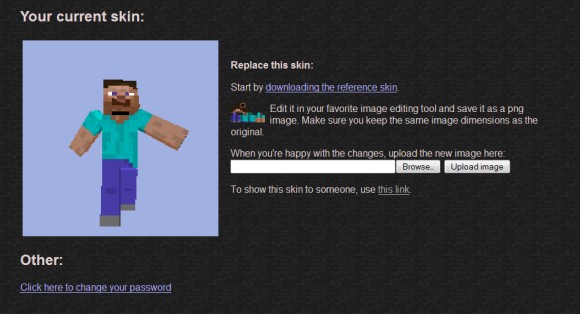
SkinCache Creator
SkinCache is a web-based platform specializing in the cataloging of Minecraft skins. It serves as a valuable resource for players seeking inspiration or wishing to utilize designs created by others.
The platform’s skin creator is accessible directly through a web browser, ensuring ease of access and usability.
Key Features
SkinCache provides the functionality to focus on individual sections of a skin, employing a grid system to facilitate precise editing.
A comprehensive suite of tools is included, such as a gradient tool, fill options, ellipse and stroke functionalities, and more.
- Users can rotate skin elements.
- An undo function is available for error correction.
- Color adjustments, including lightening, can be performed.
- The addition of hats and other accessories is supported.
Essentially, all necessary features for refining a Minecraft skin are consolidated within a single interface.
Upon completion of the skin design, users have the option to save it locally or upload it directly to the SkinCache platform.
This streamlined process allows for easy sharing and discovery of custom Minecraft skins within the SkinCache community.
Minecraft Skin Viewer
For players who prefer observing to creating, the Minecraft Skin Viewer (MSV) offers a convenient solution. It enables users to input a player’s username and instantly view their current skin.
Once a skin is loaded, a variety of options are available through the right-click context menu.
Key Features
- Skin Saving: Download skins for personal use or modification.
- Background Customization: Alter the background displayed with the skin.
- Animation Review: Cycle through the skin’s various animations.
- Editing Potential: Use the downloaded skin as a base for your own creations.
MSV proves particularly useful when encountering a visually appealing skin in-game that you wish to emulate. It streamlines the process of acquiring and adapting existing designs.
Currently, this software is exclusively compatible with Windows operating systems. Furthermore, it requires the .NET Framework to function correctly, necessitating its installation if it isn't already present on your system.
This tool is a valuable asset for those seeking inspiration or wishing to replicate the aesthetic choices of other Minecraft players.
Skiner
Skiner represents a remarkably straightforward solution for Minecraft skin customization. It is particularly well-suited for pixel artists seeking a more effective platform for editing Minecraft skins.
The application’s design prioritizes functionality over elaborate aesthetics, and this is intentional. Skiner provides users with precise control over their skin editing process, utilizing both mouse and keyboard inputs.
Core Features
The tool offers a selection of essential editing instruments, including a pencil and a box tool. It avoids unnecessary features, focusing solely on delivering a streamlined experience within a compact Windows application.
These three tools collectively provide all the necessary functionality for comprehensive Minecraft skin customization. Additional Minecraft-related articles have also been published.
- ModLoader simplifies the installation of new Minecraft modifications.
- Five essential Bukkit plugins can significantly enhance your Minecraft server.
Should any tools have been overlooked, or if you require further clarification, please do not hesitate to submit your questions in the comments section.
Related Posts

Timeline Tips: Hidden Features & Weekly Facebook Advice
4 Ways You're Accidentally Giving Away Your Privacy

ShortStack - Design Facebook Pages, Apps, Contests & Forms

Health Hazards of Tablet Use - Infographic

Dropbox RSS Feed: Get Notified of File Changes