Google Assistant Now Controls Android Apps - Hands-Free Control
Google has announced an update enabling users to utilize the voice command “Hey Google” to not only launch Android applications but also to initiate specific actions within them. This capability will be deployed to all Android phones equipped with Google Assistant, empowering users to open apps through voice commands, conduct in-app searches, and complete tasks such as ordering meals, enjoying music, sharing updates on social platforms, and requesting transportation, among other functions.
As an illustration, users can now say phrases like, “Hey Google, find comfortable blankets on Etsy,” “launch Selena Gomez on Snapchat,” “begin my workout with Nike Run Club,” or “view the latest news on Twitter.”
Initially, Google states that these voice commands will be compatible with over 30 of the most popular applications available on Google Play in English-speaking regions, with ongoing expansion to include additional apps. Currently supported apps encompass Spotify, Snapchat, Twitter, Walmart, Discord, Etsy, MyFitnessPal, Mint, Nike Adapt, Nike Run Club, eBay, Kroger, Postmates, Wayfair, and several others.
Recognizing that some standard voice commands might be somewhat lengthy, the feature also allows for the creation of personalized shortcut phrases. This means, rather than saying “Hey Google, secure my shoes with Nike Adapt,” a user could establish a command like, “Hey Google, tighten up.”
To begin utilizing shortcuts, Android users can simply say “Hey Google, display my shortcuts” to access the relevant Settings menu.
This functionality mirrors Apple’s integration of Siri with iOS applications, which similarly supports app launching, task execution, and the recording of custom phrases.
In Google’s implementation, the ability to perform actions within an app relies on developers mapping user requests to specific features within their applications. This system, known as App Actions, allows users to open their preferred apps with a voice command and, with this new enhancement, enables users to say “Hey Google” to search inside the app or navigate to particular sections.
Google reports that it has expanded its catalog to include more than 60 different actions across 10 categories, including Finance, Ridesharing, Food Ordering, Fitness, and now, Social, Games, Travel & Local, Productivity, Shopping, and Communications.
To assist users in understanding how and when to utilize these new App Actions, Google is incorporating guidance within Android that will suggest relevant commands as they use the system. For example, if a user says “Hey Google, show me Taylor Swift,” the system might display a suggestion chip directing them to the search results on Twitter.
 Alongside this announcement, Google also revealed the release of two new English voice options for developers to utilize when creating customized experiences for Assistant on Smart Displays, along with other developer tools and resources for display-focused development.
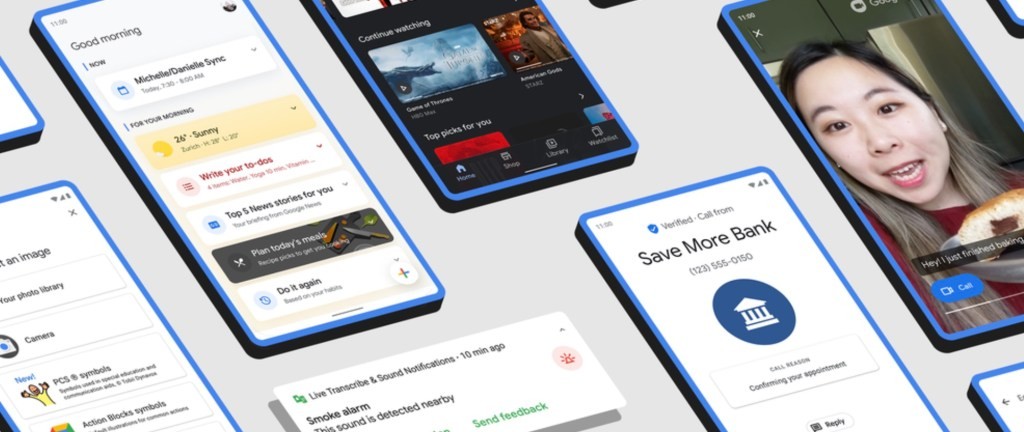
The Google Assistant upgrade for apps was one of several Android improvements Google detailed today. The company also announced the addition of screen-sharing to Google Duo, the expansion of its Verified Calls anti-spam feature to a wider range of devices (Android 9 and later), and the rebranding of the Google Play Movies & TV app as the new “Google TV” app, as previously announced last week.
Regarding accessibility, Google is introducing new tools for individuals with hearing loss, including Sound Notifications, and additional tools for communication using Action blocks, designed to assist people with cerebral palsy, Down Syndrome, autism, aphasia, and other speech-related disabilities.
These features are currently available.
Related Posts

Peripheral Labs: Self-Driving Car Sensors Enhance Sports Fan Experience

YouTube Disputes Billboard Music Charts Data Usage

Oscars to Stream Exclusively on YouTube Starting in 2029

Warner Bros. Discovery Rejects Paramount Bid, Calls Offer 'Illusory'

WikiFlix: Netflix as it Might Have Been in 1923